

Cached models are currently in beta. Join our Discord if you’d like to provide feedback.
Why use cached models?
- Faster cold starts: A “cold start” refers to the delay between when a request is received by an endpoint with no running workers and when a worker is fully “warmed up” and ready to handle the request. Using cached models can reduce cold start times to just a few seconds, even for large models.
- Reduced costs: You aren’t billed for worker time while your model is being downloaded. This is especially impactful for large models that can take several minutes to load.
- Accelerated deployment: You can deploy cached models instantly without waiting for external downloads or transfers.
- Smaller container images: By decoupling models from your container image, you can create smaller, more focused images that contain only your application logic.
How it works
When you select a cached model for your endpoint, Runpod automatically tries to start your workers on hosts that already contain the selected model. If no cached host machines are available, the system delays starting your workers until the model is downloaded onto the machine where your workers will run, ensuring you still won’t be charged for the download time.Where models are stored
Cached models are stored in a Runpod-managed Docker volume mounted at/runpod-volume/huggingface-cache/hub/. The model cache is automatically managed and persists across requests on the same worker.
While cached models use the same mount path as network volumes (
/runpod-volume/), the model loaded from the cache will load significantly faster than the same model loaded from a network volume.Accessing cached models in your application
Models are cached on your workers at/runpod-volume/huggingface-cache/hub/ following Hugging Face cache conventions. The directory structure replaces forward slashes (/) from the original model name with double dashes (--), and includes a version hash subdirectory.
The path structure follows this pattern:
gensyn/qwen2.5-0.5b-instruct would be stored at:
/runpod-volume/huggingface-cache/hub/ for models.
Enabling cached models
1
Create a new endpoint
Navigate to the Serverless section of the console and click New Endpoint.
2
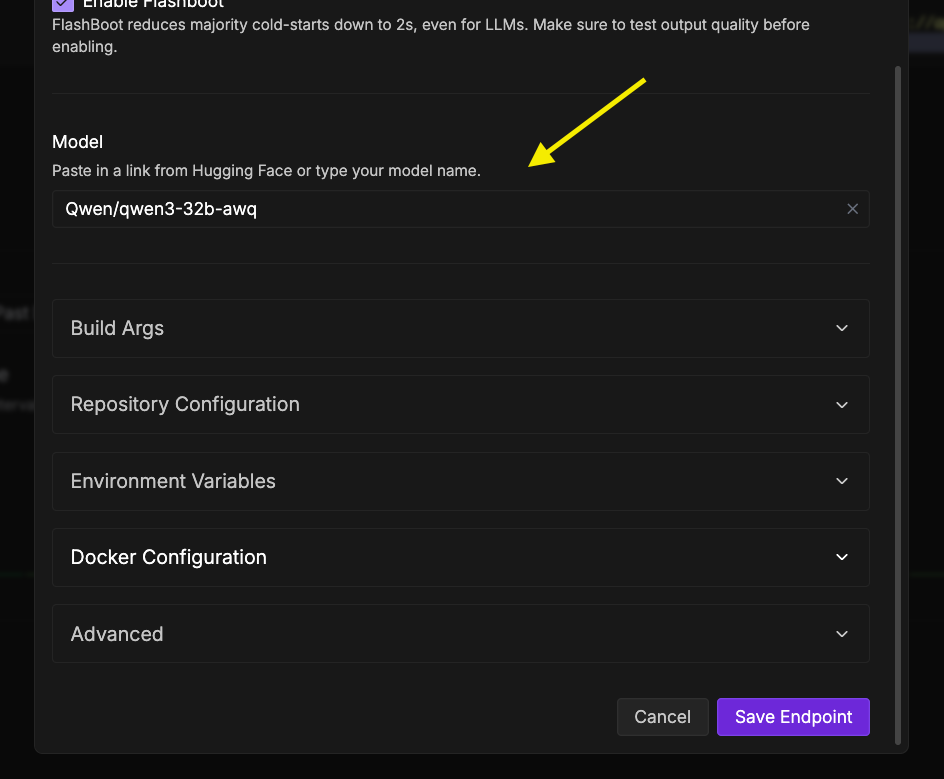
Configure the model
In the Endpoint Configuration step, scroll down to Model (optional) and add the link for the model you want to use.For example,
https://huggingface.co/Qwen/Qwen3-Next-80B-A3B-Instruct.3
Add an access token (if needed)
If you’re using a gated model, you’ll need to enter a Hugging Face access token.
4
Deploy the endpoint
Complete your endpoint configuration and click Deploy Endpoint .